Turning off
Note
Before switching off the stand, move the unit into the parking position, as this cannot be done when the system is powered off due to the motorized C-arm.
Turning off – traditional configuration
The unit switch off procedure requires only one step, since the processing unit will automatically switch off the stand as well. Therefore, before turning everything off, make sure the unit is in parking position.

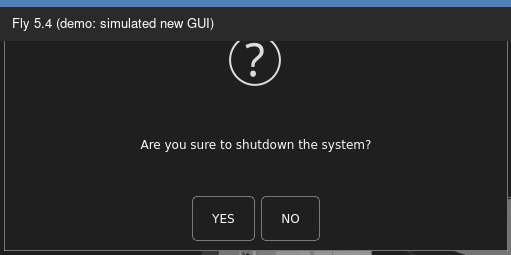
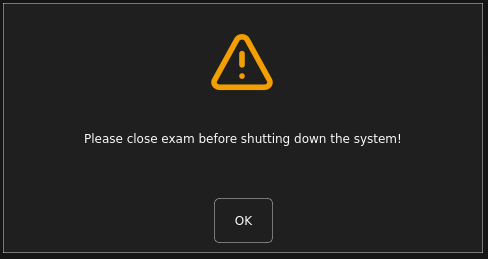
If the exam is open, pressing the shutdown button will be notified that the exam must be closed before shutting down the system:
If the unit is equipped with a UPS and it detects a power failure, the light on the trolley will turn on and stay on for about 10 seconds indicating that the system is still powered. This time will allow the system to close any open exams and save the data on the HD.

Then, reverse the steps previously performed for turning on, disconnecting the umbilical connector and the power plug.
When disconnecting the umbilical connector, be careful to pull it out straight and avoid any upward movements to prevent damage to the connections.
Emergency switch off
Emergency power off occurs by pressing one of the emergency buttons available on the machine.

In the traditional configuration, there are two emergency buttons available: one on the rear of the ETS15 touchscreen control panel on the stand side, and the other on the rear of the monitor trolley.
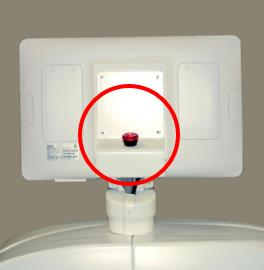
Optionally, and for both configurations, there may be an additional emergency button located on the side of the MINITROLLEY ETS15 trolley.
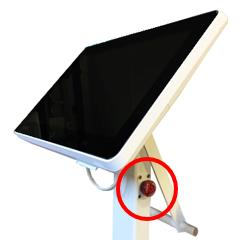
Finally, optionally, and for both configurations, there may be an emergency button located on the ROOM IN USE interface installed on the wall of the room.
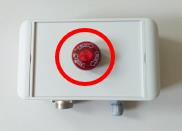
Pressing one of the emergency buttons immediately cuts off the power to the system, meaning that the movement and X-ray emission functions are disabled and turned off.
The emergency shutdown buttons are of the manual reset type. When pressed, they stay in the engaged position until the operator manually resets them to the rest position by rotating them clockwise and releasing them.
Before reactivating an emergency button, it is important to ensure that the issue which caused the emergency stop has been resolved.
After reactivating the emergency button, it is advisable to perform a complete system restart.
Warning
The emergency button located on the ETS15 trolley (mini trolley) is only operational when the trolley is connected to the main cart.
Warning
The emergency button located on the ROOM IN USE interface is only operational if the unit in use is connected to it.
Emergency restart
The unit, due to its characteristics and its normal use, does not provide any emergency operation status, meant as a working condition with limited functions. In case of accidental switch off, or temporary blackout that causes a unit switch off, the user will need to normally turn the whole system on.
Warning
In case an interruption is suspected due to a malfunction, the following restoration procedure must be carried out with the utmost caution.
Follow the flow chart below to restart the unit after an emergency shutdown.
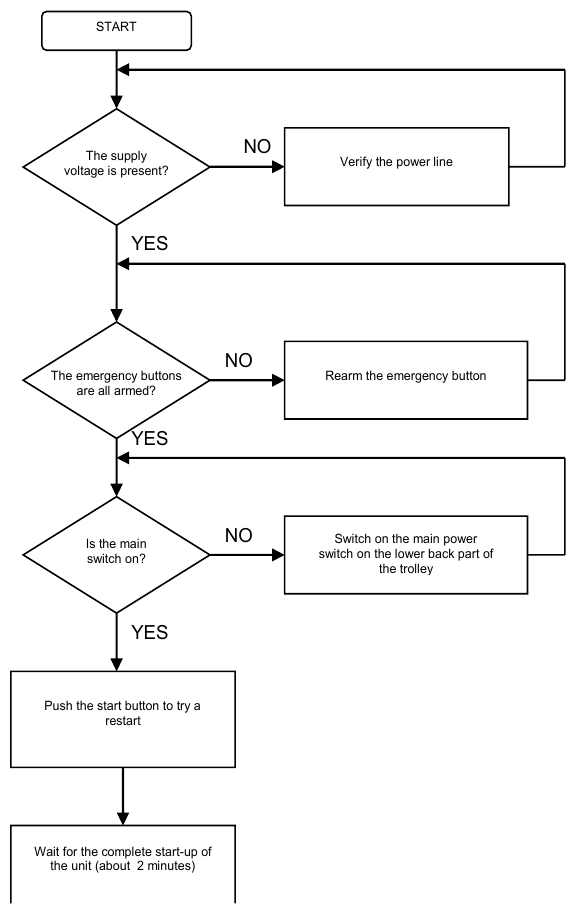
Warning
In case of a suspected possible fault, the restart must be immediately stopped and the unit must be disconnected from the mains.
Note
In the event that the shutdown should occur by means of the emergency button, reactivation takes 30 seconds.
X-ray emission interlock key
The unit is equipped with a physical interlock system for the emission, consisting of a key switch, in addition to the software interlock that is active (emission inhibited) until a new exam is opened.
The key for the interlock emission switch is located on the rear of the monitor trolley.
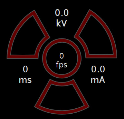
X-ray door interlock
Optionally, the unit can be equipped with an interlock function that activates when the door of the room where the unit is used is opened.
This function requires the ROOM IN USE interface and has the same effect as the key interlock switch located on the unit, as described in the previous paragraph.